HighLevel Snapshot Workflows
Everything in the IDXApps HighLevel Snapshot — 7 ready-made workflows and 87 custom fields across 10 groups — connecting your iHomefinder leads to HighLevel automatically.
What's in the Snapshot
The IDXApps HighLevel Snapshot is a pre-built set of workflows and custom fields that connect your iHomefinder lead activity directly to your HighLevel sub-account. Import it once, and every listing view, saved search, showing request, and valuation your leads trigger in iHomefinder shows up in HighLevel — ready to route, notify, and nurture automatically. No Zapier, no manual field mapping.
7 Workflows
Organized into 4 folders inside your HighLevel sub-account, exactly as they come in the Snapshot.
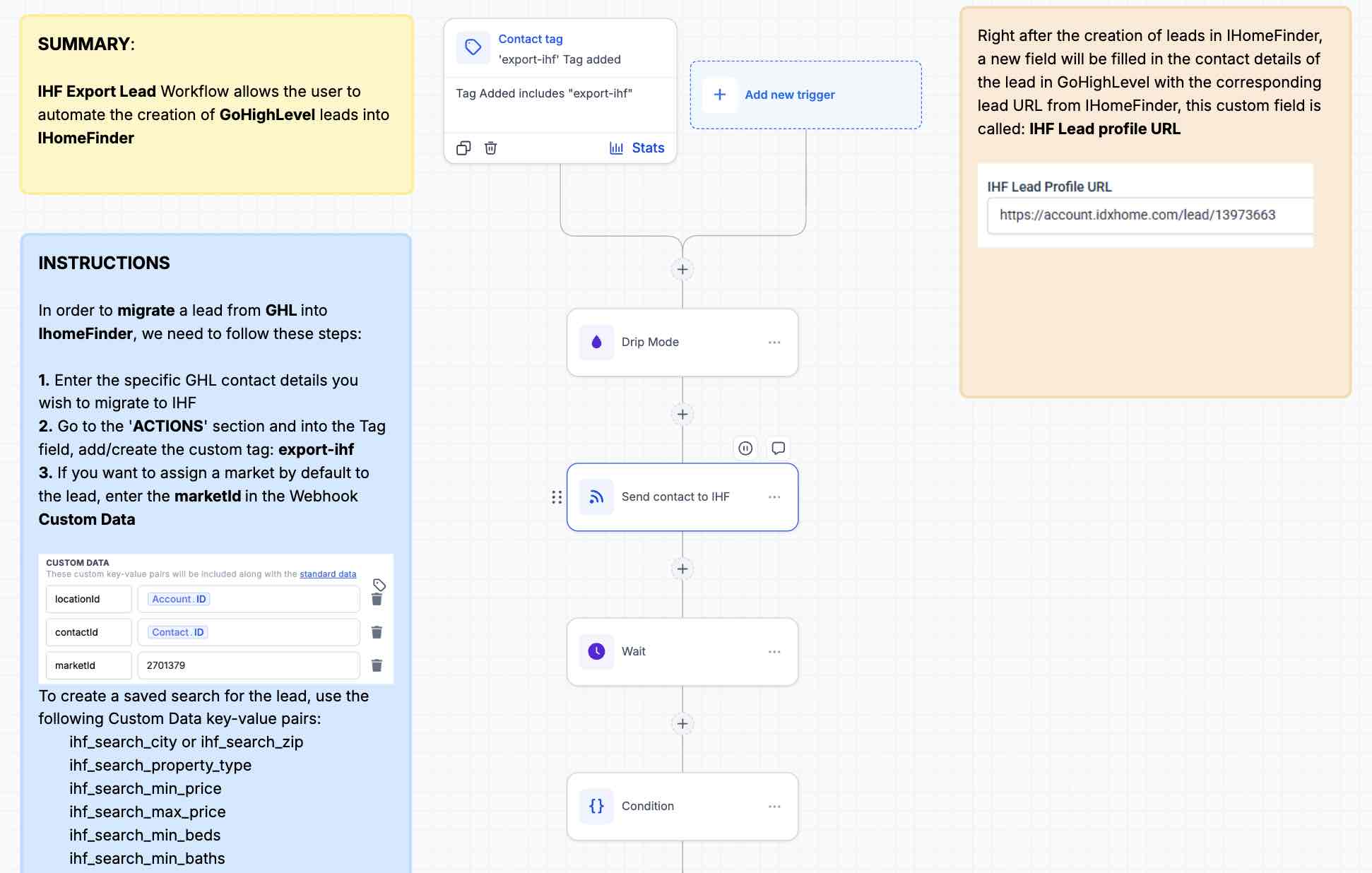
Create IHF Lead on Tag + Saved Search + Market Report
Tag any HighLevel contact and this workflow creates a matching iHomefinder lead automatically. Optionally start them off with a saved search — city, property type, price range, beds and baths — and subscribe them to a market report, all from the same tag.
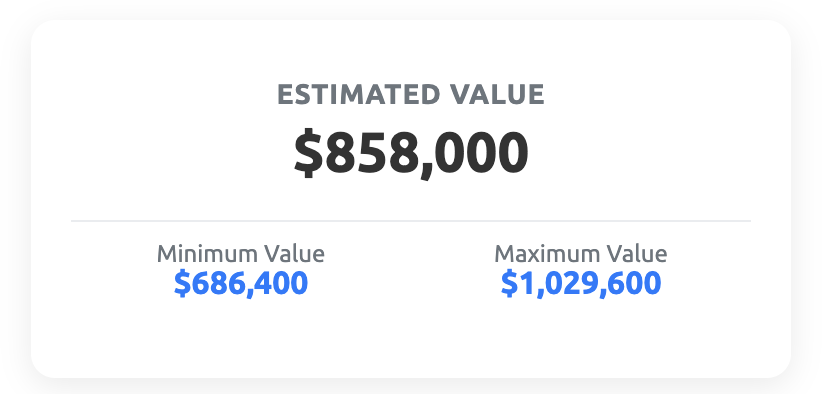
Home Valuation Update By Time Periods
20/mo limitKeeps past leads warm by emailing them an updated, personalized home value on a recurring schedule you control. This allowance is shared with the Home Valuation AI widget, for 20 valuations per month total.
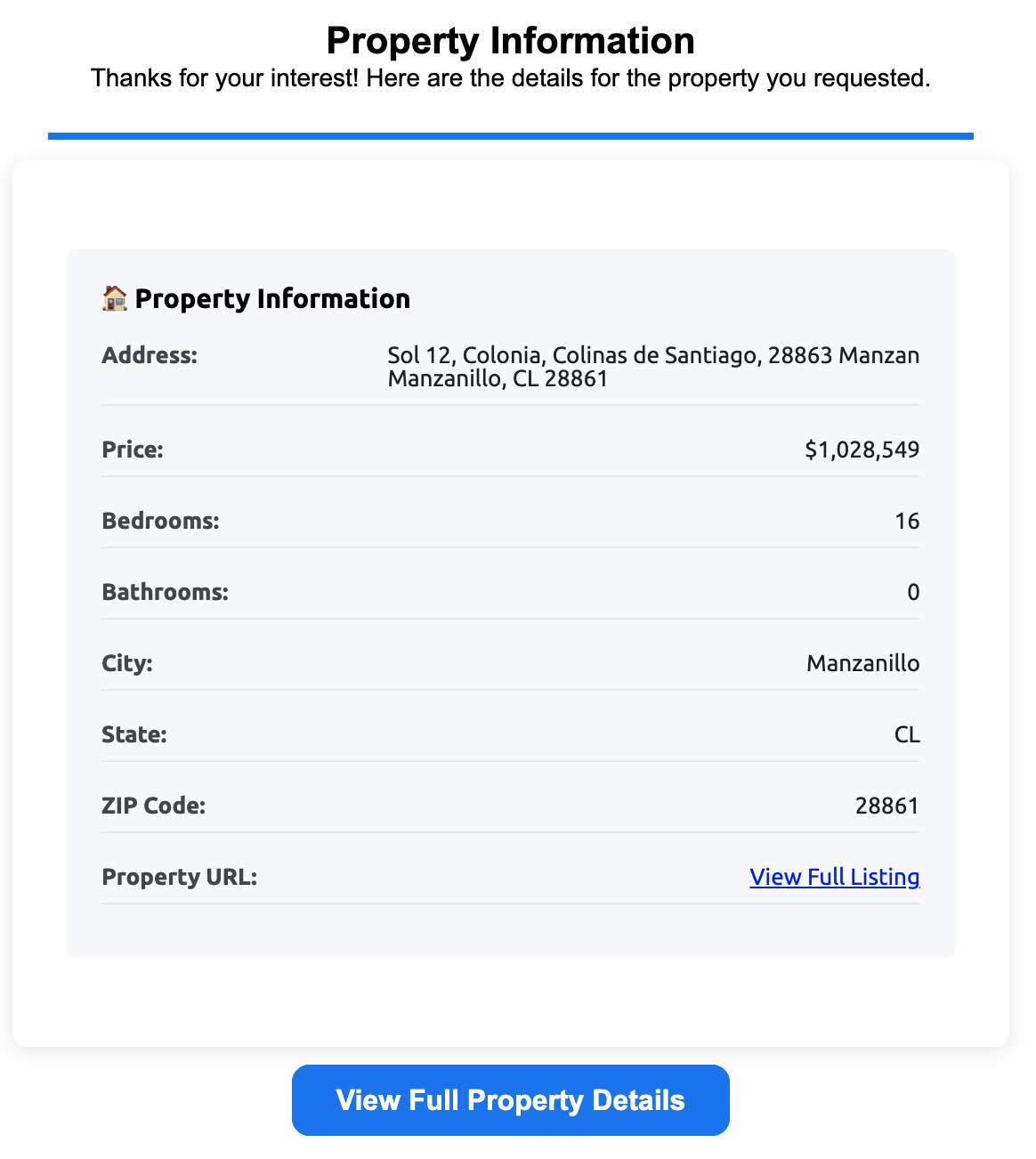
Request More Info — To Assigned User & Contact
The moment a lead asks for more details on a listing, their assigned agent and the lead both get notified instantly — so an interested buyer never waits on a reply.
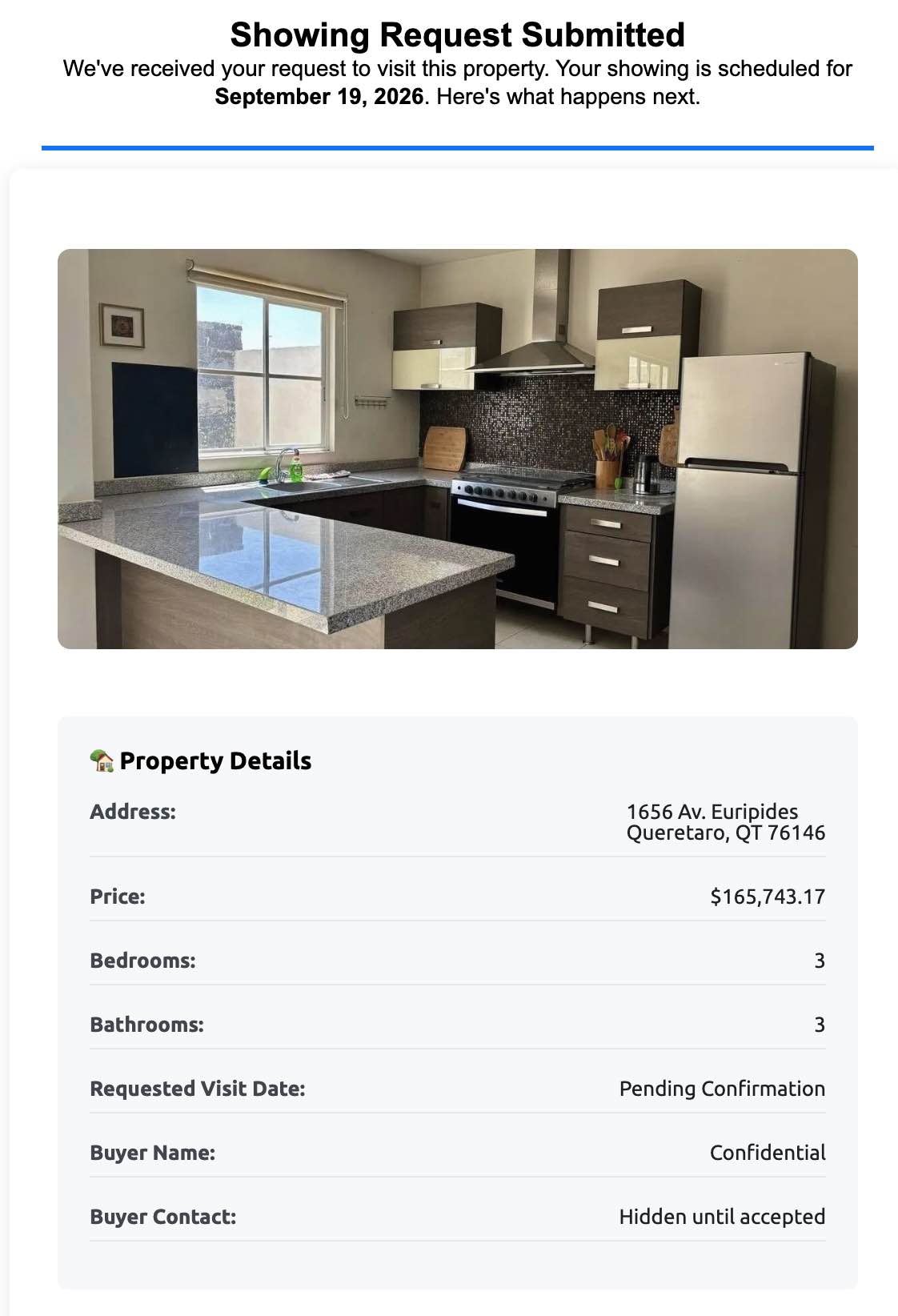
Schedule a Showing — To Assigned User & Contact
As soon as a lead requests a showing, this workflow alerts the assigned agent and the lead right away, keeping the next step moving without any manual follow-up.
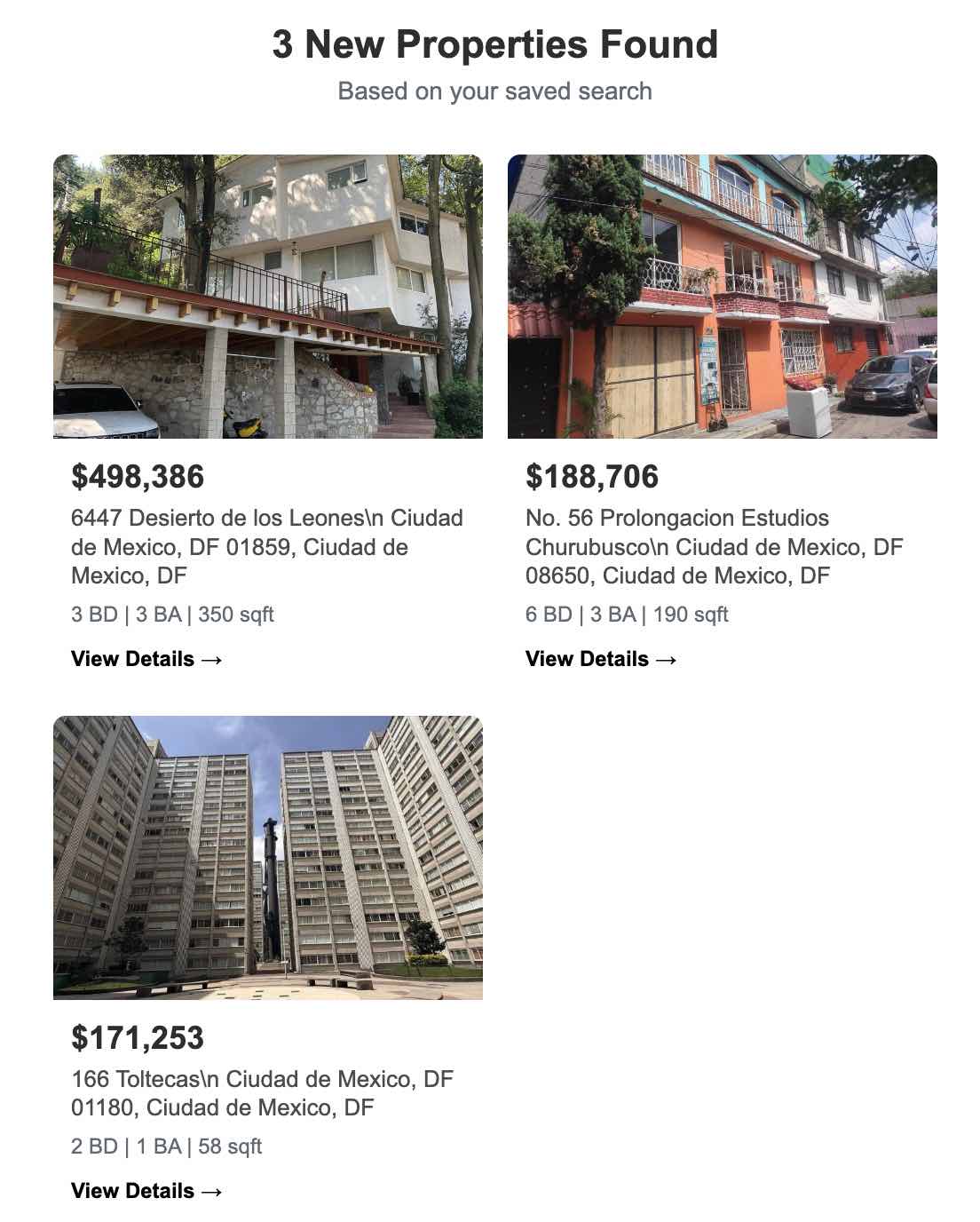
Property Updates — Email
Daily · 2x/week · Weekly · BiweeklySends leads a fresh batch of matching listings by email on whatever cadence you tag them for. Perfect for keeping active buyers engaged between showings.
Property Updates — SMS
Daily · 2x/week · Weekly · BiweeklyThe text-message version of property update emails — same flexible cadence, delivered straight to a lead's phone for faster open rates.
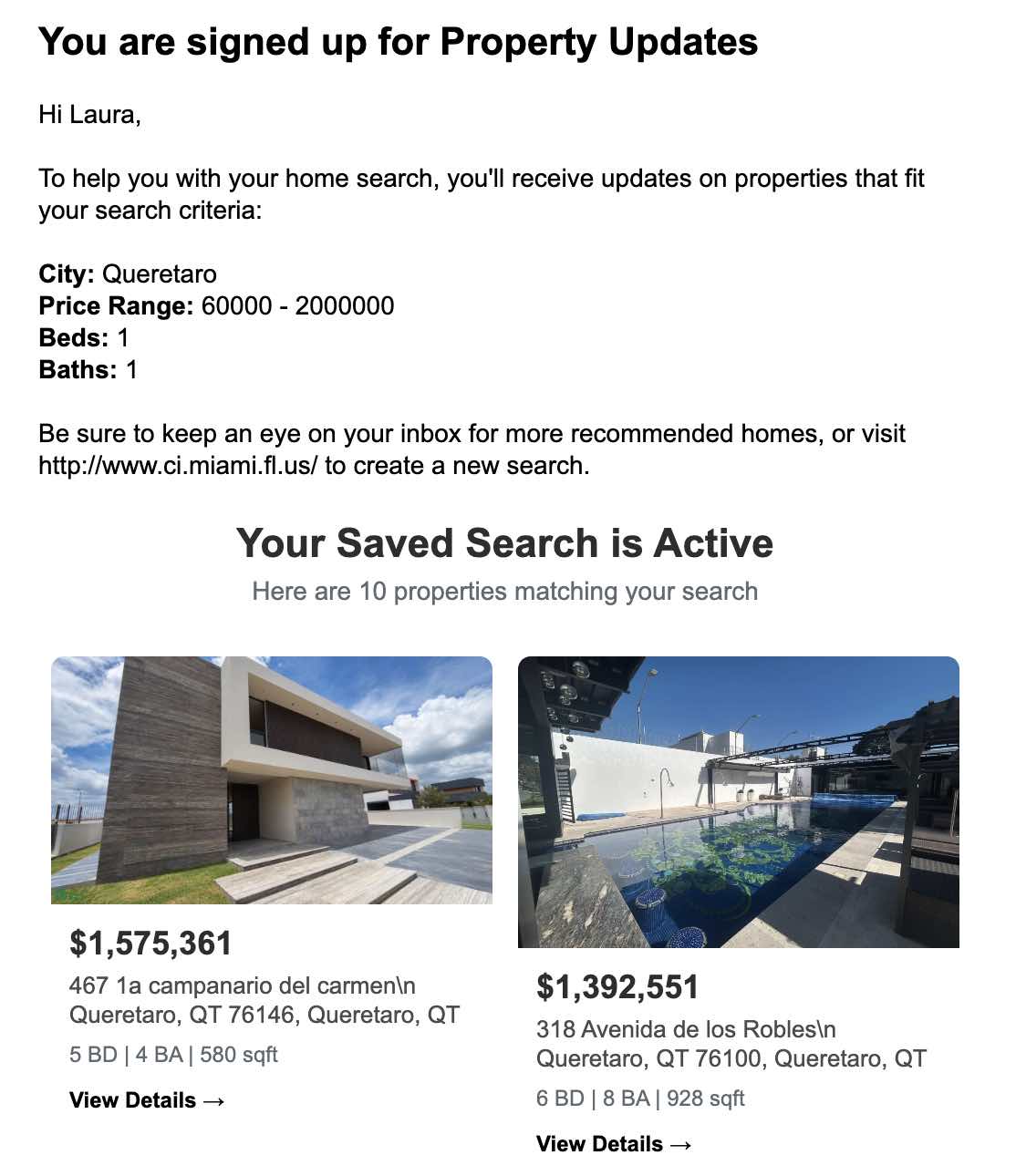
Property Updates — New Saved Search
Confirms to a new lead that they're now subscribed to property updates, and includes a quick preview of listings that already match their search criteria.
87 Custom Fields
Contact fields that store each lead's iHomefinder activity, so you can trigger and branch on it in your own HighLevel workflows. Every group below lands in its own HighLevel folder.
IHF Lead Profile
4 fields
Always included
IHF Lead Profile
4 fields Always includedWho the lead is, at a glance — plus a direct link to their iHomefinder profile.
- IHF Lead Profile URL
- IHF Agent
- IHF Created On
- IHF Source
IHF Last Viewed Property
9 fields
IHF Last Viewed Property
9 fieldsDetails of the most recent listing the lead looked at.
- IHF Last Viewed Property Street
- IHF Last Viewed Property Price
- IHF Last Viewed Property Beds
- IHF Last Viewed Property Baths
- IHF Last Viewed Property ZIP Code
- IHF Last Viewed Property City
- IHF Last Viewed Property State
- IHF Last Viewed Property Full Address
- IHF Last Viewed Property URL
IHF Browsing Stats
11 fields
IHF Browsing Stats
11 fieldsHow much the lead browses, and the price/beds/baths ranges they're looking at.
- IHF Viewed Properties Count
- IHF Multiple Viewed Properties Count
- IHF Most Viewed Listings
- IHF Most Viewed Property
- IHF Most Viewed Property Count
- IHF Highest Viewed Price
- IHF Lowest Viewed Price
- IHF Highest Viewed Beds
- IHF Lowest Viewed Beds
- IHF Highest Viewed Baths
- IHF Lowest Viewed Baths
IHF Saved Properties
11 fields
IHF Saved Properties
11 fieldsWhich properties the lead has saved, including the most recent one's address, price, and link.
- IHF Saved Properties Count
- IHF Multiple Saved Properties Count
- IHF Last Saved Property Street
- IHF Last Saved Property Price
- IHF Last Saved Property Beds
- IHF Last Saved Property Baths
- IHF Last Saved Property ZIP Code
- IHF Last Saved Property City
- IHF Last Saved Property State
- IHF Last Saved Property Full Address
- IHF Last Saved Property URL
IHF Saved Searches
11 fields
IHF Saved Searches
11 fieldsHow many saved searches the lead keeps, plus what the most recent one looked for and a link to its results.
- IHF Saved Searches Count
- IHF Last Saved Search Min Price
- IHF Last Saved Search Max Price
- IHF Last Saved Search Beds
- IHF Last Saved Search Max Beds
- IHF Last Saved Search Baths
- IHF Last Saved Search Max Baths
- IHF Last Saved Search City Name
- IHF Last Saved Search State Name
- IHF Last Saved Search Property Type
- IHF Last Saved Search URL
IHF Showing Requests
12 fields
IHF Showing Requests
12 fieldsDetails of the lead's most recent showing request, including the notification content sent to buyer and seller.
- IHF Last Scheduled Showing Preferred Date
- IHF Last Scheduled Showing Street
- IHF Last Scheduled Showing Price
- IHF Last Scheduled Showing Beds
- IHF Last Scheduled Showing Baths
- IHF Last Scheduled Showing ZIP Code
- IHF Last Scheduled Showing City
- IHF Last Scheduled Showing State
- IHF Last Scheduled Showing Full Address
- IHF Last Scheduled Showing URL
- IHF Last Scheduled Showing Buyer Notification Content
- IHF Last Scheduled Showing Seller Notification Content
IHF Info Requests
11 fields
IHF Info Requests
11 fieldsDetails of the lead's most recent information request on a listing, including the notification content sent to buyer and seller.
- IHF Last Request Info Street
- IHF Last Request Info Price
- IHF Last Request Info Beds
- IHF Last Request Info Baths
- IHF Last Request Info ZIP Code
- IHF Last Request Info City
- IHF Last Request Info State
- IHF Last Request Info Full Address
- IHF Last Request Info URL
- IHF Last Request Info Buyer Notification Content
- IHF Last Request Info Seller Notification Content
IHF Email Clicks
9 fields
IHF Email Clicks
9 fieldsThe last listing link the lead clicked inside an email.
- IHF Last Clicked Link Street
- IHF Last Clicked Link Property Price
- IHF Last Clicked Link Property Beds
- IHF Last Clicked Link Property Baths
- IHF Last Clicked Link ZIP Code
- IHF Last Clicked Link City
- IHF Last Clicked Link State
- IHF Last Clicked Link Full Address
- IHF Last Clicked Link URL
IHF Property Updates
3 fields
IHF Property Updates
3 fieldsHow many property update emails the lead has received, and a link to the most recent one.
- IHF Property Updates Email
- IHF Property Updates Link
- IHF Property Updates Count
IHF Home Valuation
6 fields
IHF Home Valuation
6 fieldsThe lead's most recent Home Valuation AI request and its estimated value range.
- IHF Home Valuation Address
- IHF Current Home Valuation
- IHF Past Home Valuation
- IHF Maximum Home Valuation
- IHF Minimum Home Valuation
- IHF Home Valuation Content
Get the Snapshot
Connect your HighLevel sub-account to IDXApps and import these workflows and custom fields in minutes — free with your IDXApps account.
Get Started